本文最后更新于 141 天前,其中的信息可能已经有所发展或是发生改变。
今天我去Microsoft里学习了WinUI,虽然只是学了个大概,但还是十分地富有成果(?)
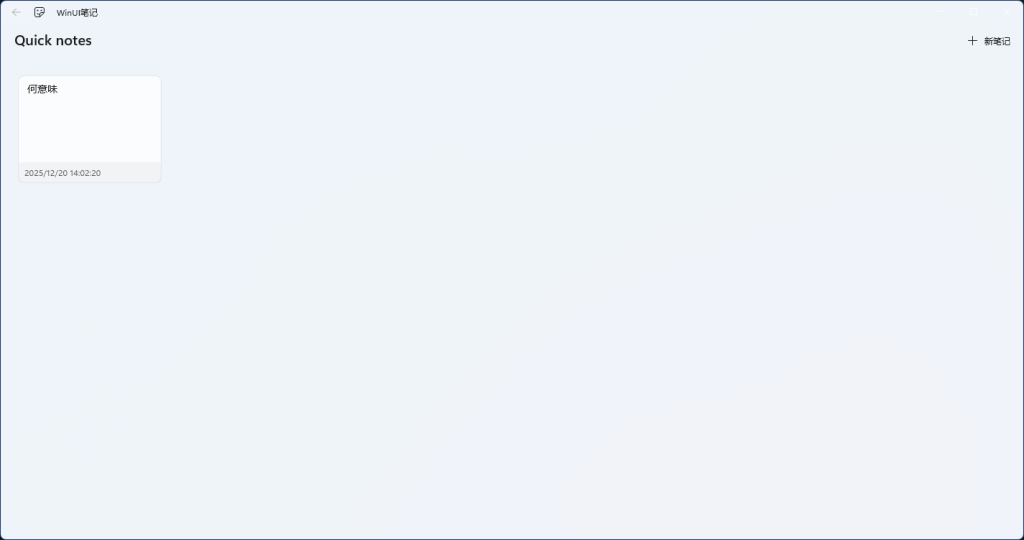
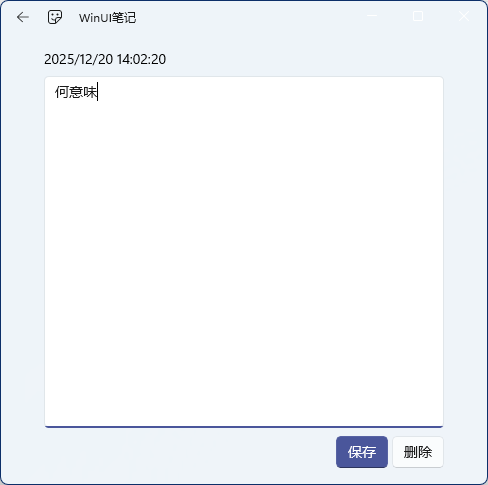
这是效果图,可以看到还是非常漂亮的。
由于代码在官网有展示,所以这里就不过多赘述。
仙人指路:WinUI 说明教程 – 简介 – Windows apps | Microsoft Learn
当然您也可以下载我构建好的包:
注意了,由于我还不知道怎么使用正常签名,故目前使用的是自签名。需要手动安装签名。步骤如下:

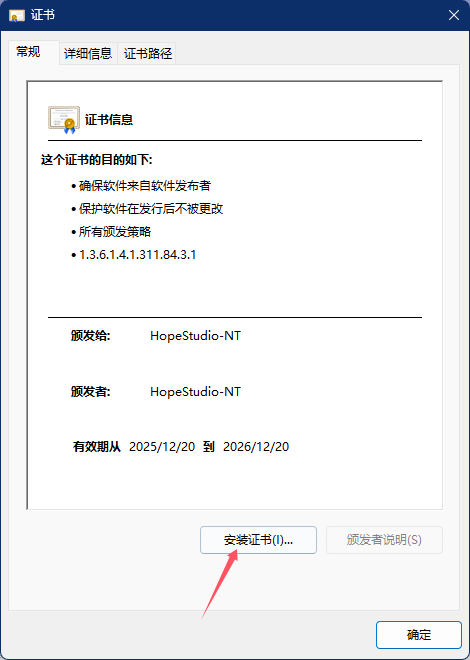
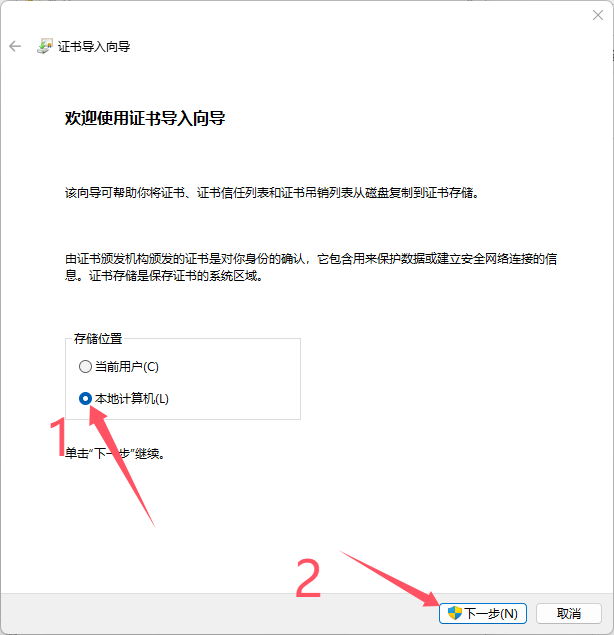
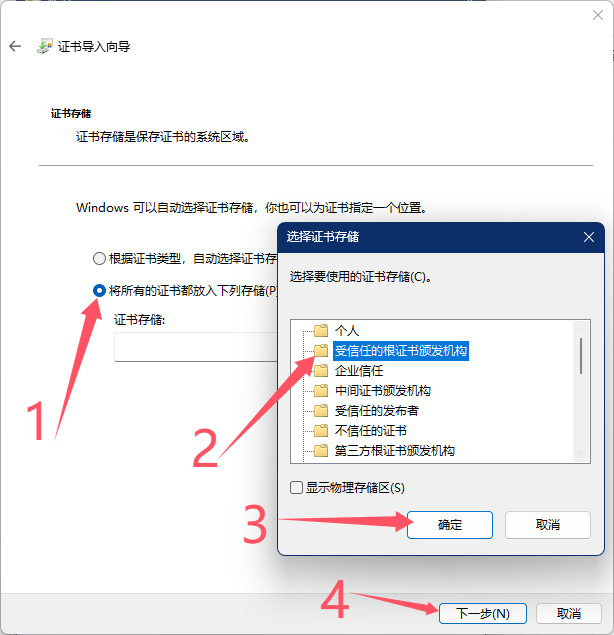
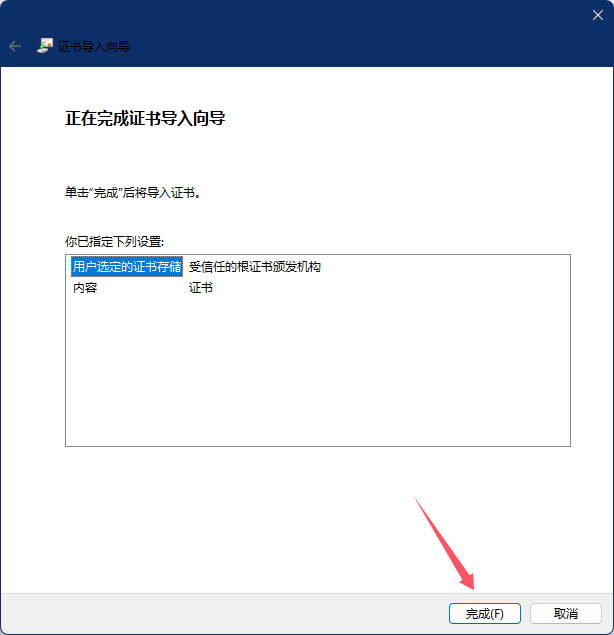
然后就可以双击WinUINotes_1.0.1.0_x64_Debug.msixbundle愉快玩耍了!
前往Vol.2:
到时候补发一下依赖文件
以管理员身份打开命令提示符并运行以下命令:
shell
net stop wuauserv
net stop cryptSvc
net stop bits
net stop msiserver
ren C:WindowsSoftwareDistribution SoftwareDistribution.old
ren C:WindowsSystem32catroot2 catroot2.old
net start wuauserv
net start cryptSvc
net start bits
net start msiserver
[![](https://learn-attachment.microsoft.com/api/attachments/80819dec-815b-4ea3-9b39-014c7a55a6da?platform=QnA
以此尝试连接微软服务 登录后评价该回答
不要瞎搞